
AI 魔法提示词集锦第 5 期:现实、虚拟与我
2026-01-05
1、我与我的涂鸦
这套提示词绝了!上传你的靓照就可以生成你跟自己的街头涂鸦合照,社媒疯传预定!
内置了四个主题场景(新年,赛博,民国,国潮),提示词里面这部分可以自定义👇
Gemini Nano Banana Pro 出图示例:
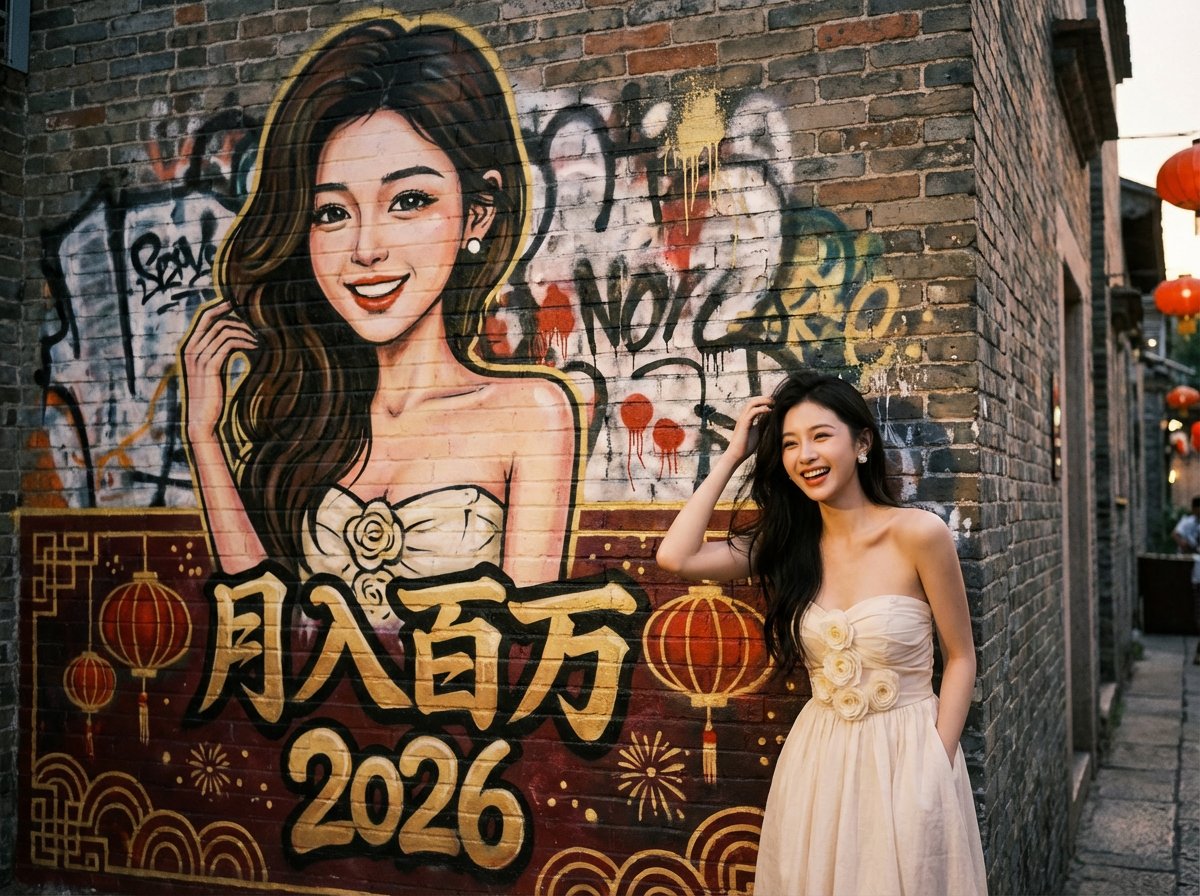 我与涂鸦_
我与涂鸦_
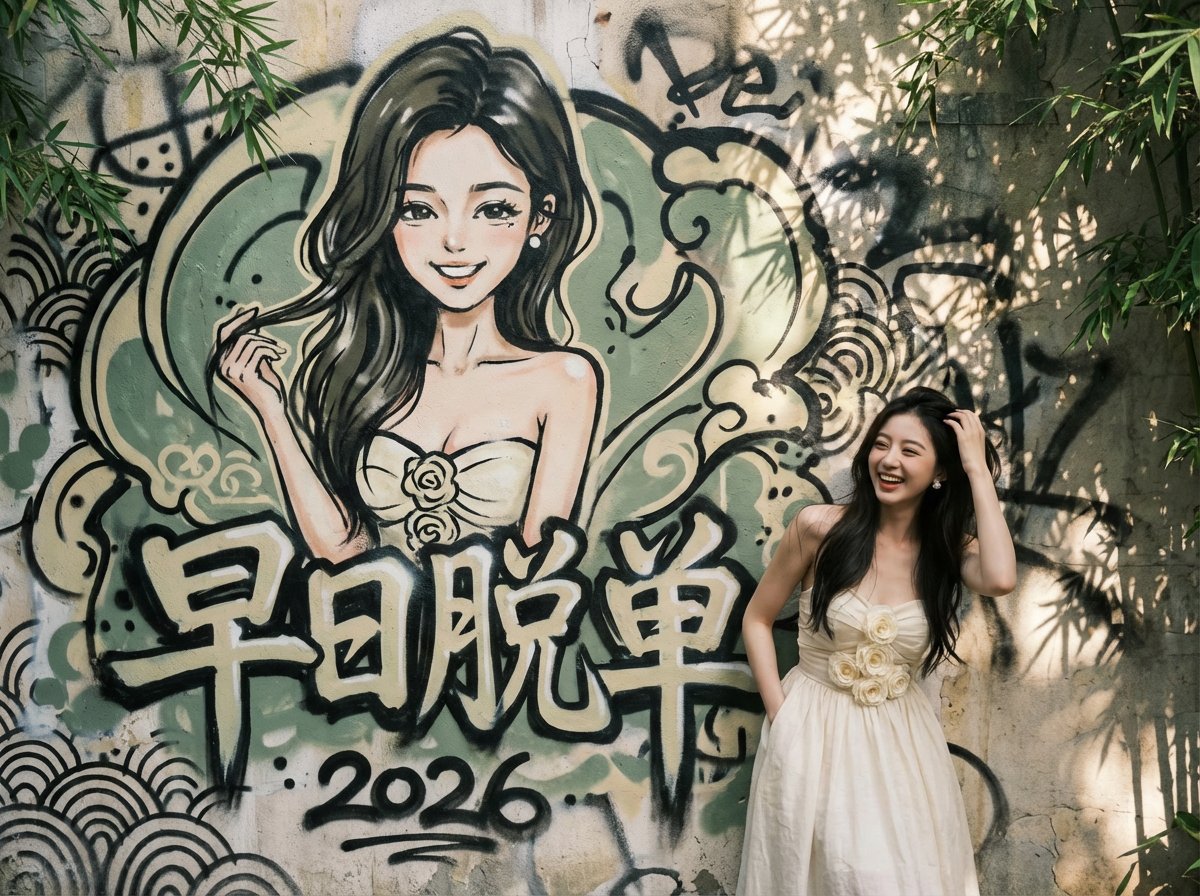
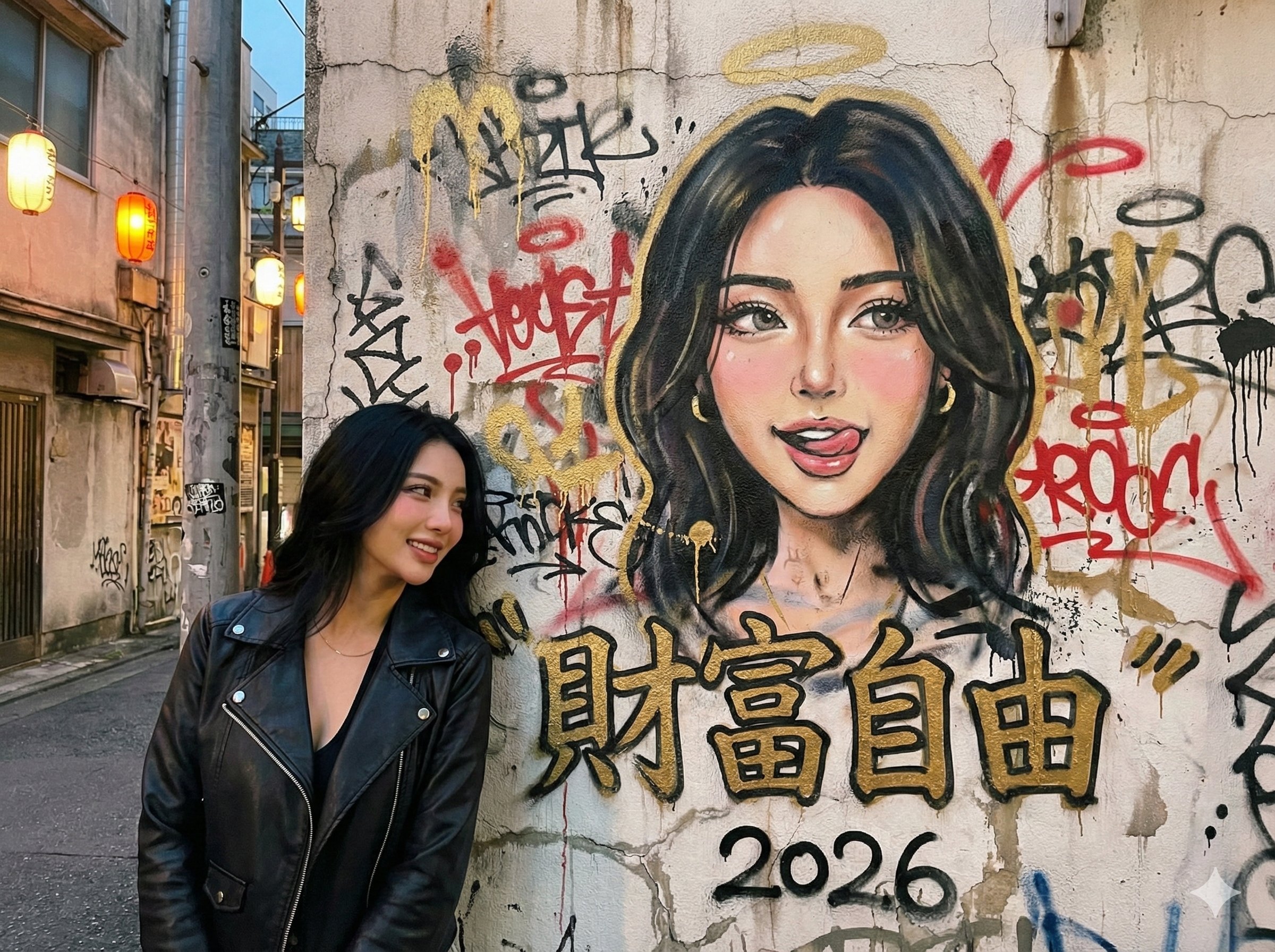
Prompt:
{
  "task_description": "Create a natural street portrait of a real person standing in front of a layered, messy graffiti wall. The wall features a spontaneous, hand-painted caricature of the person.",
  "global_settings": {
    "aspect_ratio": "4:3",
    "camera_view": "Front-on or slight 15-degree angle; avoid extreme perspective distortion; eye-level shot",
    "overall_vibe": "Authentic urban street culture, raw, energetic, and candid"
  },
  "variables": {
    "mural_main_text": "月入百万",
    "mural_secondary_text": "2026",
    "theme": "New Year Festive",
    "style_pool": ["New Year Festive", "Cyberpunk Underground", "Vintage Republican", "Traditional Zen"]
  },
  "mural_aesthetics": {
    "rendering_style": "Hand-painted aerosol art, not a digital print",
    "messiness_factors": [
      "Visible paint splatters and spontaneous drips",
      "Soft, blurred spray edges (no sharp digital outlines)",
      "Layered effect: the main portrait is painted over faint, messy background tags and scribbles",
      "Imperfect symmetry to enhance the 'freehand' look"
    ],
    "content": "A vibrant caricature based on the reference person's facial features and joyful expression, integrated into the chaotic beauty of the street wall."
  },
  "style_scenarios": {
    "New_Year_Festive": {
      "setting": "An old city street during dusk",
      "palette": "Dominant deep reds and gold, contrasted with the reference image's colors",
      "details": "Faint lanterns in the distance, festive graffiti tags"
    },
    "Cyberpunk_Underground": {
      "setting": "A dimly lit pedestrian tunnel with wet floors",
      "palette": "Neon blue and violet, mixed with the reference image's color tones",
      "details": "Exposed wires on the wall, industrial textures"
    },
    "Vintage_Republican": {
      "setting": "A historic brick alleyway (Lilong)",
      "palette": "Muted earth tones, sepia, and charcoal",
      "details": "Old wooden window frames, textured grey bricks"
    },
    "Traditional_Zen": {
      "setting": "A quiet courtyard with a stone wall",
      "palette": "Ink black, sage green, and white-wash",
      "details": "Subtle bamboo shadows, weathered limestone texture"
    }
  },
  "foreground_subject": {
    "logic": "Mirror the gender and facial features of the reference image.",
    "attire_strategy": "Inherit the dominant color palette from the reference photo's clothing. For example, if the reference is wearing a black T-shirt, generate a stylish, theme-appropriate outfit in black or dark tones (e.g., a black techwear jacket for Cyberpunk theme).",
    "position": "Grounded in the bottom right corner, waist-up or three-quarter view.",
    "pose_randomization": [
      "Casually leaning back against the wall",
      "One hand adjusting hair or a hat",
      "A relaxed, mid-laugh stance with hands in pockets",
      "Slightly looking away from the camera for a candid feel"
    ]
  },
  "technical_finish": {
    "wall_texture": "Naturally weathered concrete or brick; subtle cracks and water stains that feel organic, not forced.",
    "lighting": "Dynamic natural lighting (soft sunlight or ambient street glow) that casts a soft shadow from the person onto the wall, ensuring a deep blend."
  }
}
出处:https://x.com/msjiaozhu/status/2011436742654779847
本文所介绍的 AI 人物生成,也可以使用 FaceXSwap 端侧离线换脸生成。
2、我变卡通插画
不想在合拍里直出真人脸,但又不想整张图都变画风?
设计了一个提示词,把人物改成卡通插画风,环境保持真实不动。
特别适合:coffee chat、多人合拍、线下合照但想保护隐私的场景。
Gemini Nano Banana Pro 出图示例:
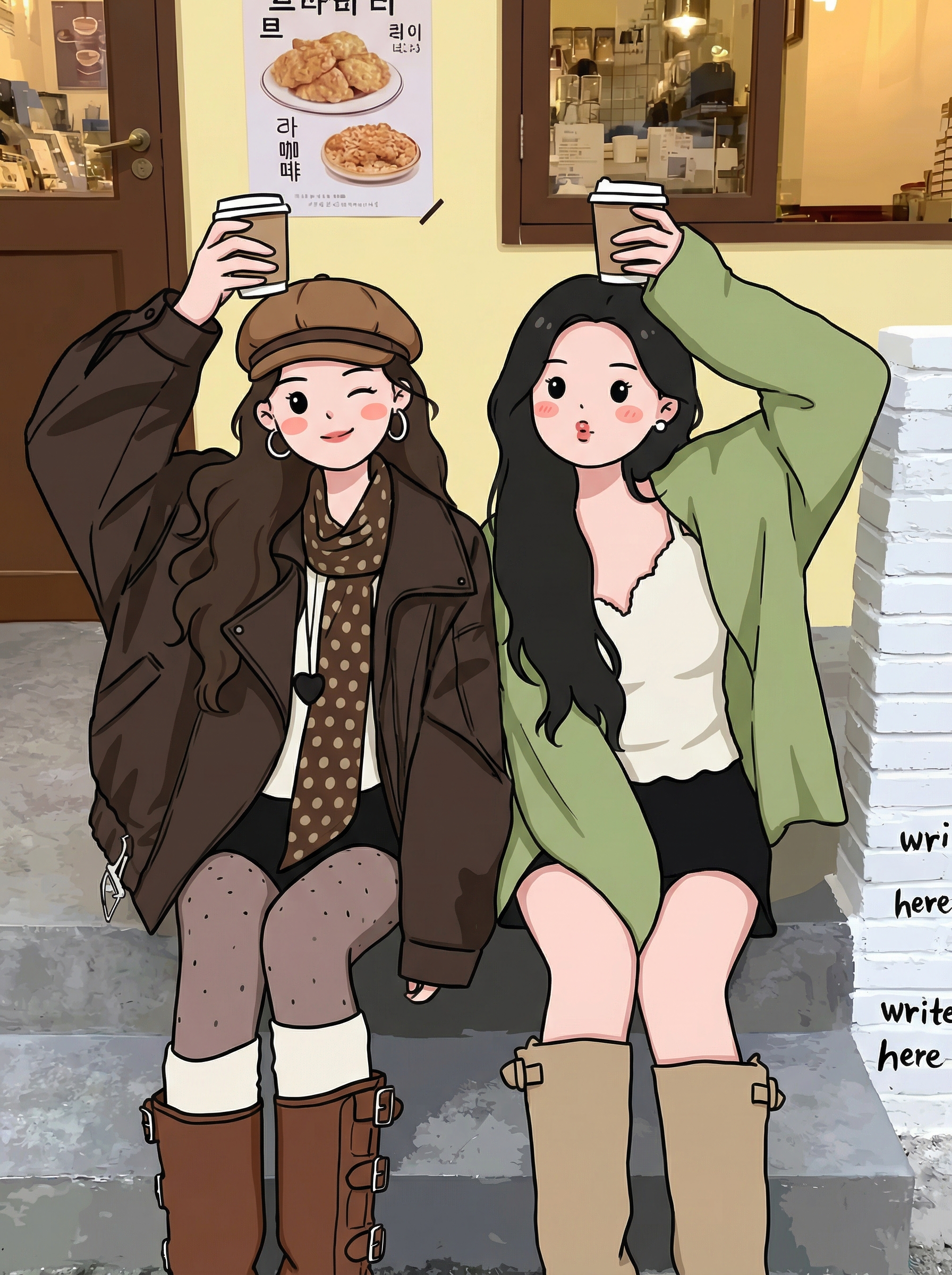
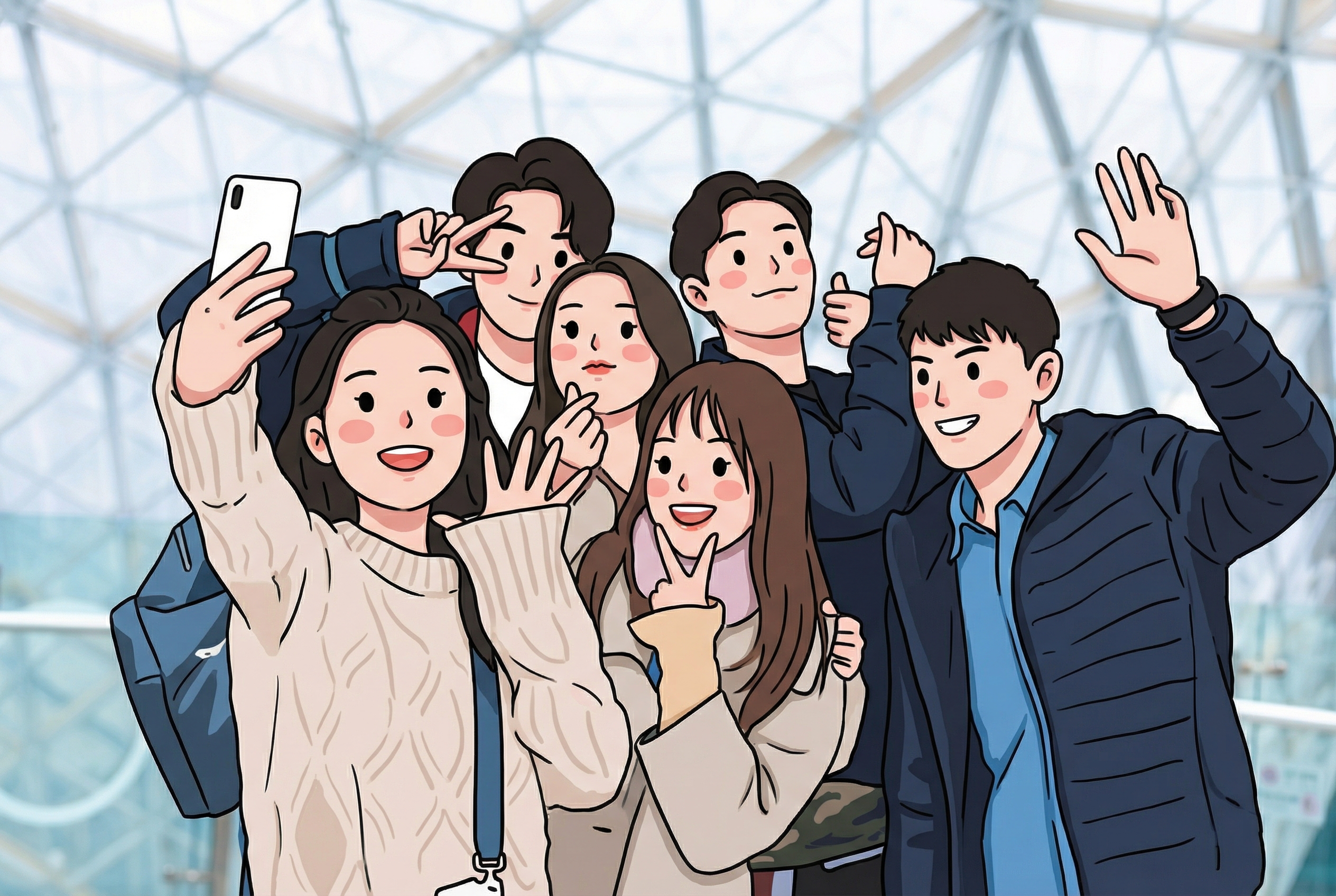
Prompt:
把照片中所有人物转换成Q版萌系卡通插画:大头小身、圆润比例,厚实干净的黑色描边;五官极简(点状眼睛、小嘴、鼻子弱化),脸颊打淡淡的腮红;纯色块上色,几乎无渐变与阴影,整体可爱治愈。
除人物外一律不变:背景、环境、光线、透视、构图、颜色、清晰度全部保持原照片。
人物的姿势、表情、衣服颜色与细节、人数与相对位置完全一致,边缘清晰不糊。
出处:https://x.com/hellokaton/status/2011449095781847530
3、我变卡通贴纸
上传你的照片,生成不同服装风格的贴纸
Gemini Nano Banana Pro 出图示例:


Prompt:
一个以上传照片为原型的3*3贴纸包,人物穿着不同服装和时尚风格。边缘干净裁剪,带有粗线条轮廓,姿势富有表现力,整体采用活泼的现代贴纸设计。在每个贴纸旁边采用中英文标注风格,所有贴纸保持相同的面部特征、一致的相似度和比例。
包含教师装、传统、护士制服、街头潮牌和奇幻灵感等多种服装风格。高分辨率成品,带有柔和阴影和光泽贴纸纸张质感,适合社交分享。
出处:https://x.com/linxiaobei888/status/2003003721827987592
4、我与我的卡通版合影
把你的图片上传,就可以生成和卡通版自己的合影!太可爱了!
Gemini Nano Banana Pro 出图示例:

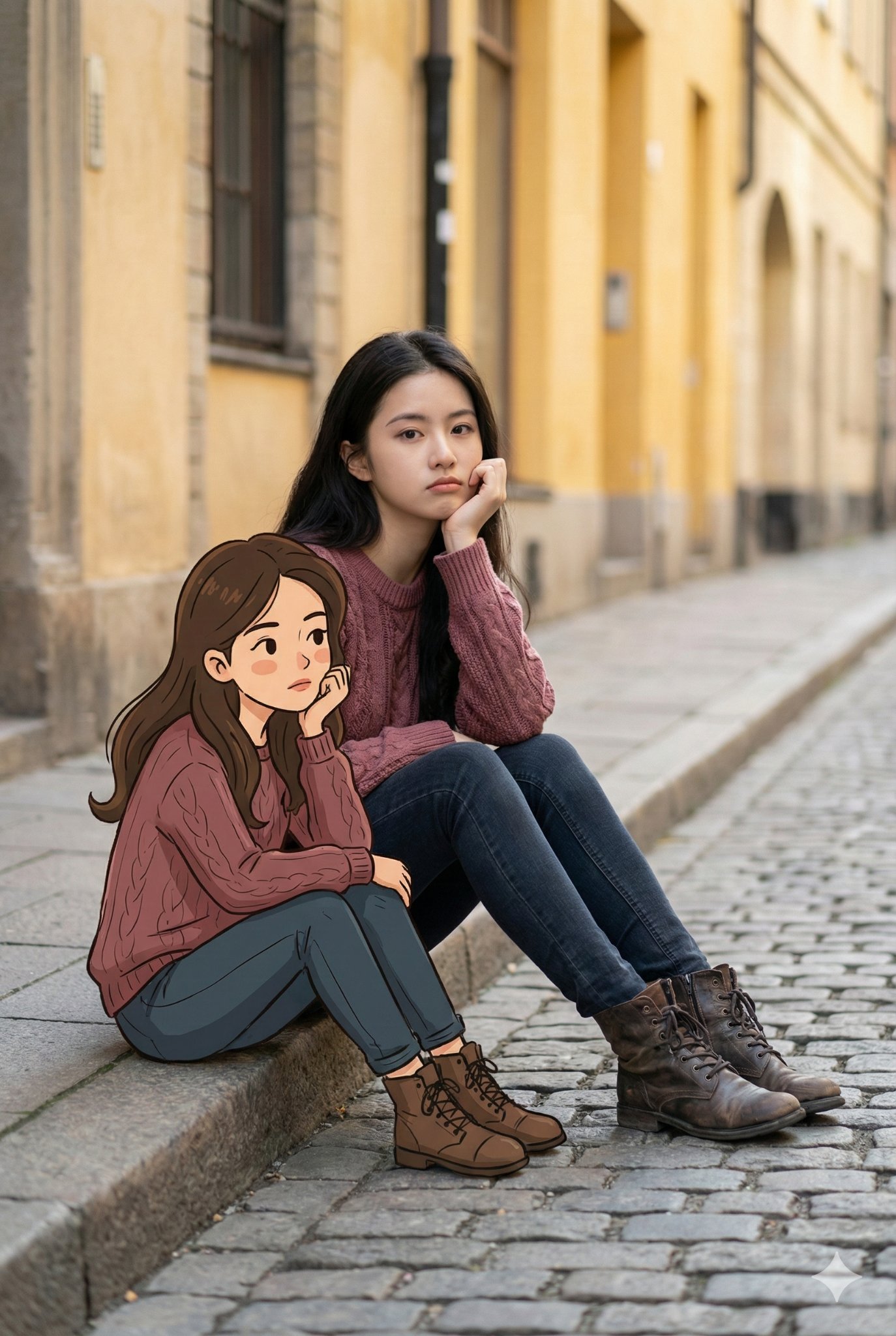

Prompt:
将此图片转换为64K数码单反分辨率的创意都市街头肖像。

[主体]:照片中,一位**[从上传图片提取:年龄、性别、外貌特征]**(与上传图片中的人物相同)坐在静谧的城市街道路边。人物随意地坐在水泥人行道边缘,一只手托着下巴,姿态略显百无聊赖,若有所思。表情平静内敛,流露出静谧的沉思感。

[装束]:身穿**[提取自图片或使用模板:浅酒红色宽松绞花针织衫,搭配深色牛仔裤和做旧皮靴]**。

[卡通伴侣]:在他/她旁边的人行道上,坐着一个卡通版的自己(与上传的图片脸部特征一致)。卡通人物的穿着、打扮、姿势甚至表情都与真人一模一样。卡通风格线条简洁,色彩温暖,采用柔和的手绘动画风,与写实真人形成有趣对比。

[技术与环境]:背景是纹理丰富的鹅卵石路面和柔和黄色的建筑立面。大地色系为主,柔和自然光。融合街头摄影与混合媒介艺术,Octane渲染器,虚幻引擎级画质。
出处:https://x.com/Adam38363368936/status/2009664369001627654
推荐一款端侧离线换脸工具,如果你想快速二创人物作品,可以使用 FaceXSwap 在手机端换脸实现即可:
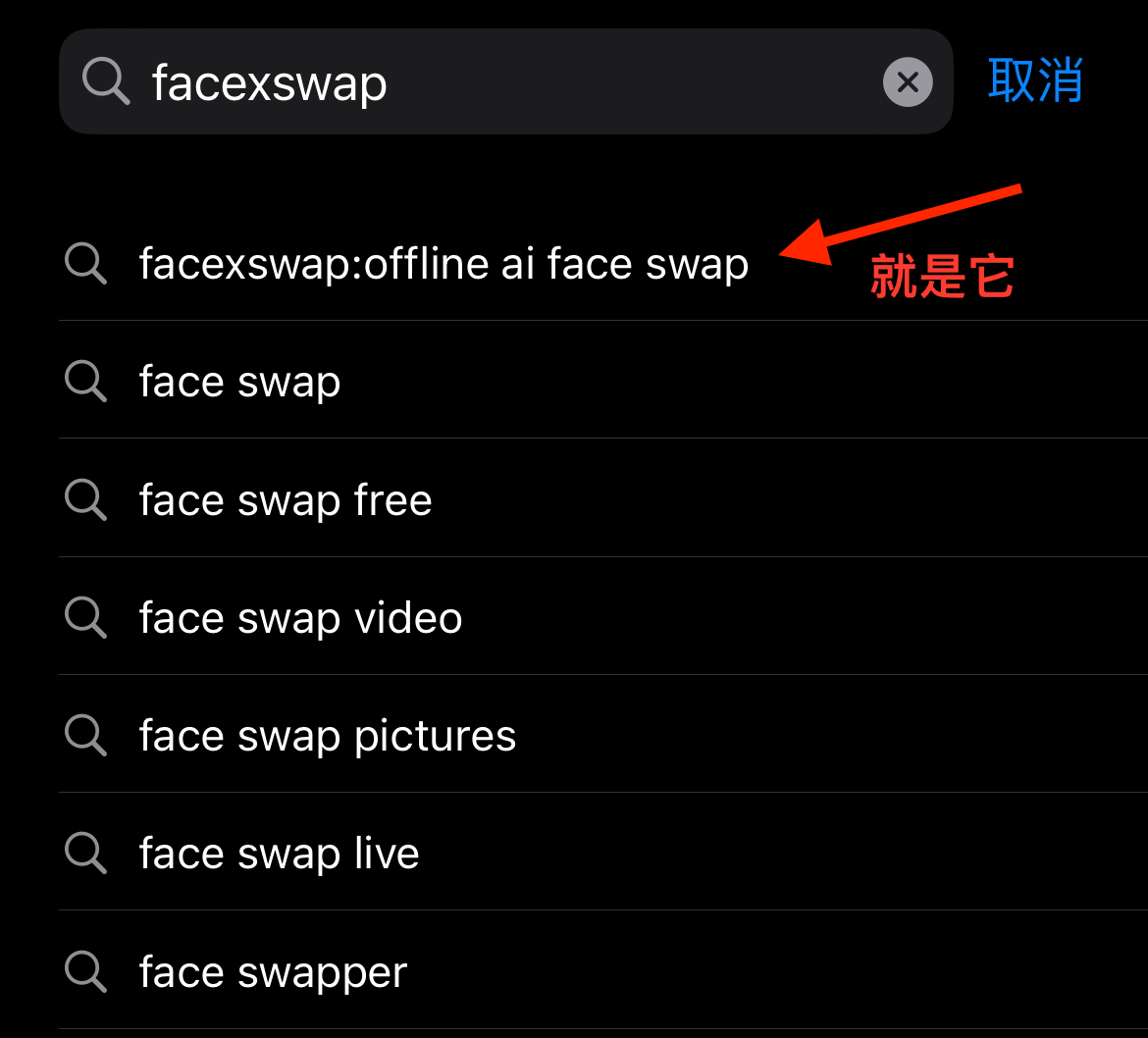
- FaceXSwap 官网:FaceXSwap: On-Device Offline AI Face Swap for Free
- FaceXSwap iOS App 下载:FaceXSwap iOS App Download